


Trading notes are designated to help traders record and review their orders, which is an essential way to reflect and make progress. Follow this guide to learn how to use this function, it will be of great help to your future trade.
Click here to know more about “Post” and “Note”
App
Step 1 Click “Note”
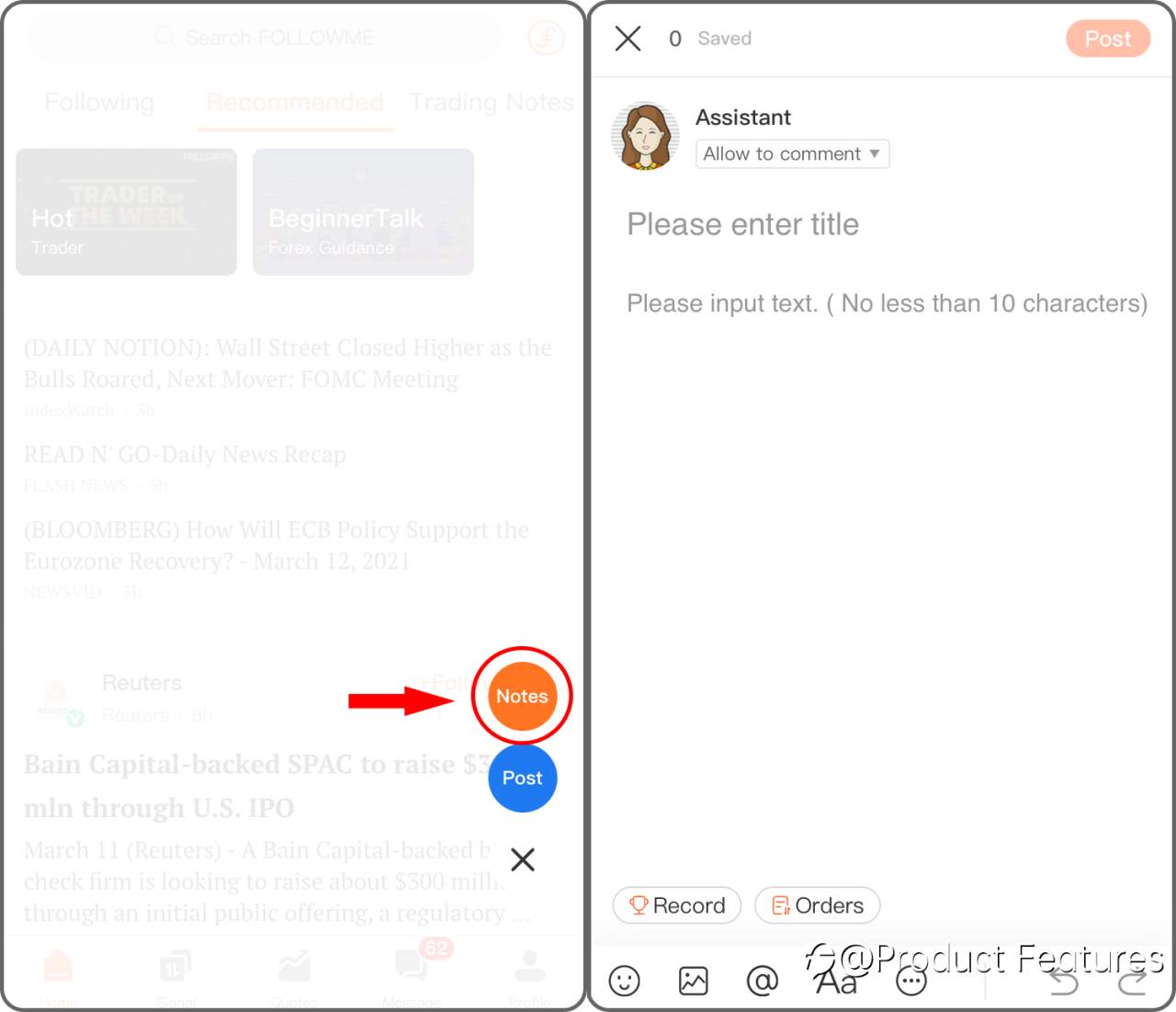
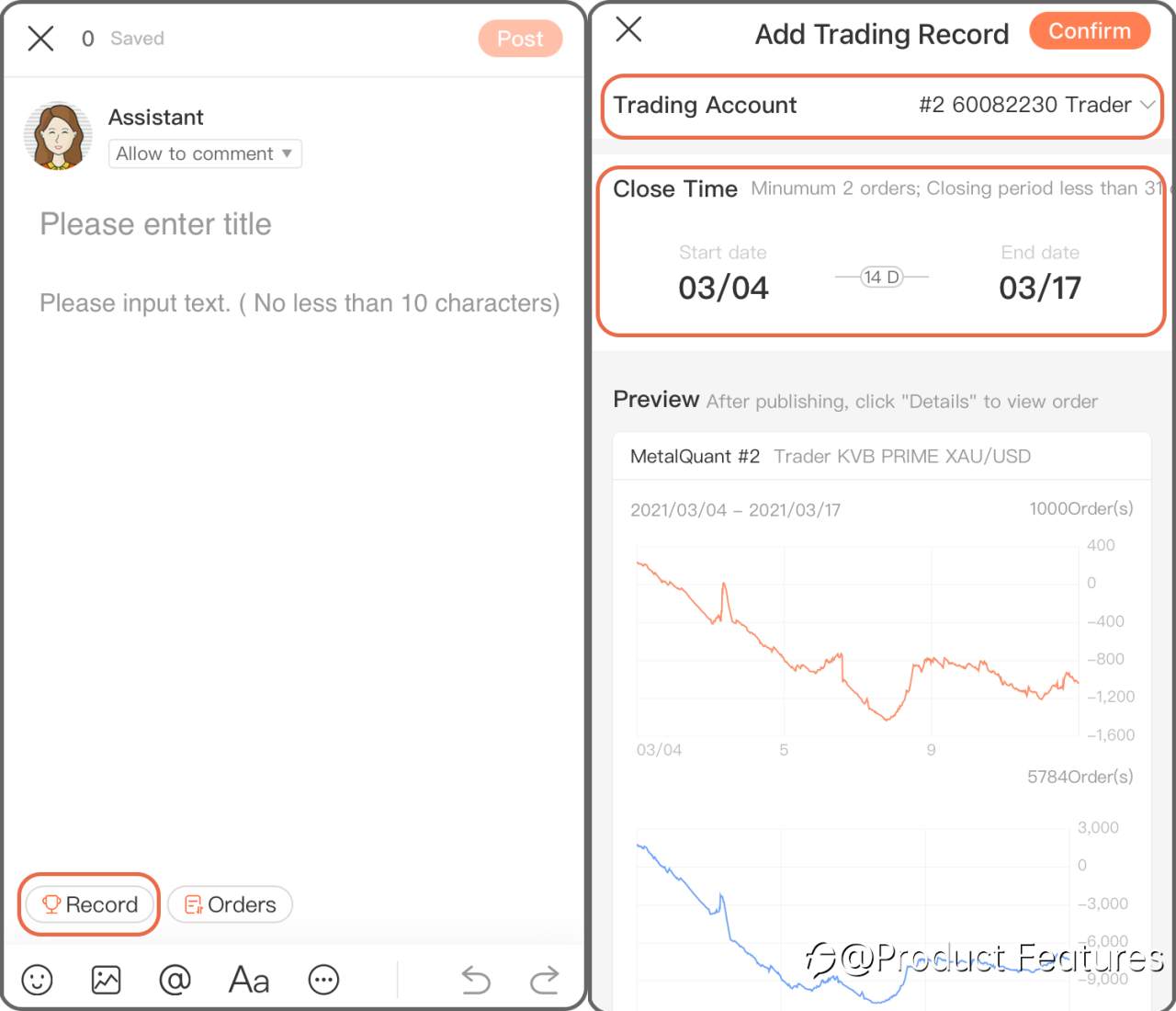
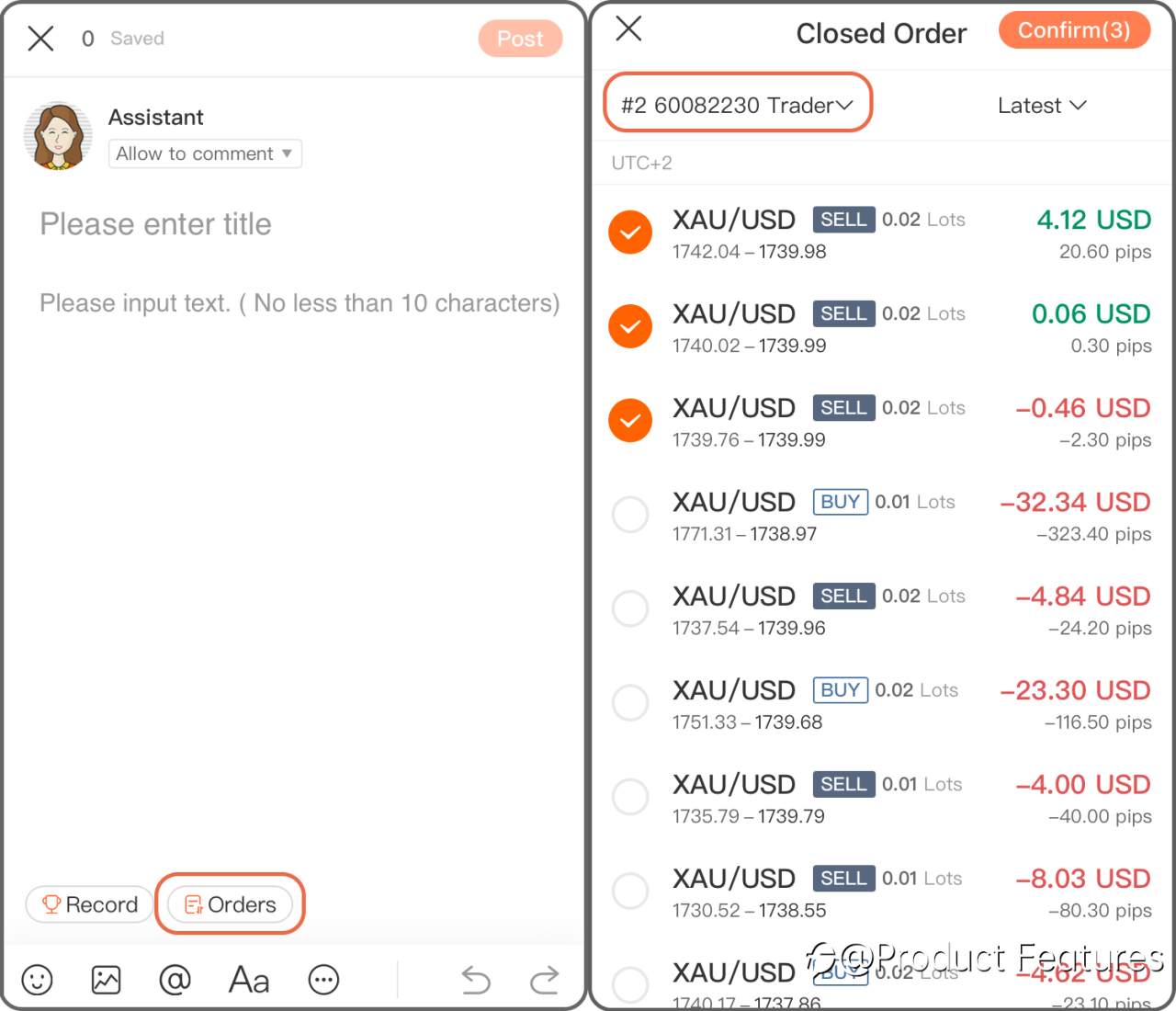
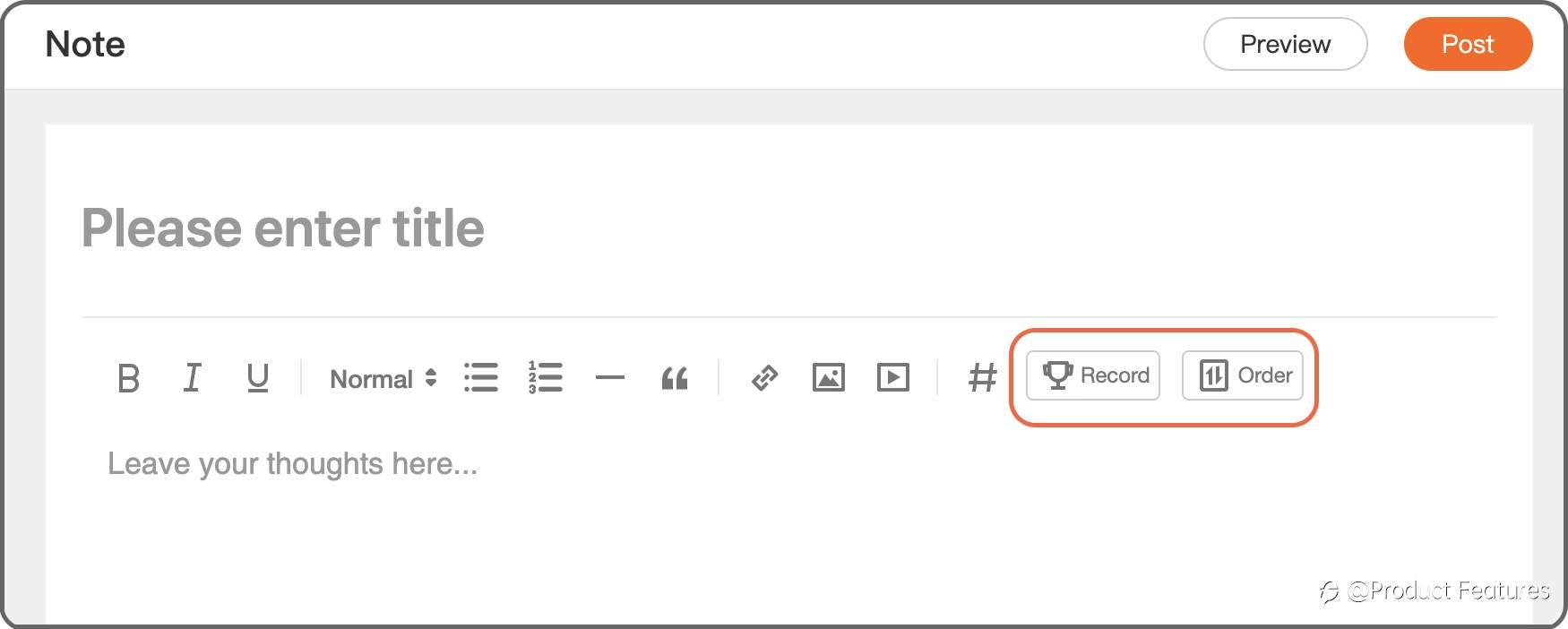
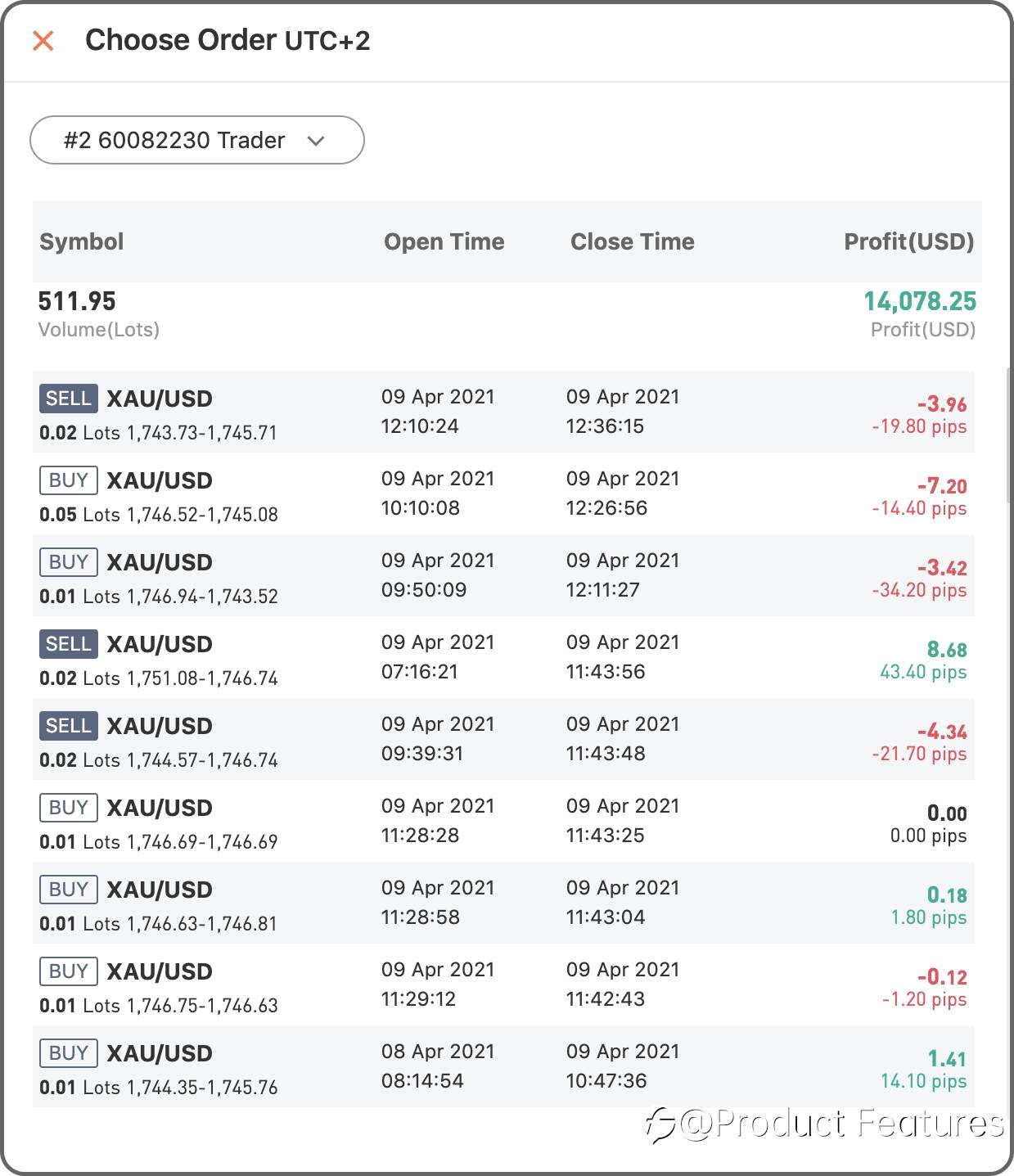
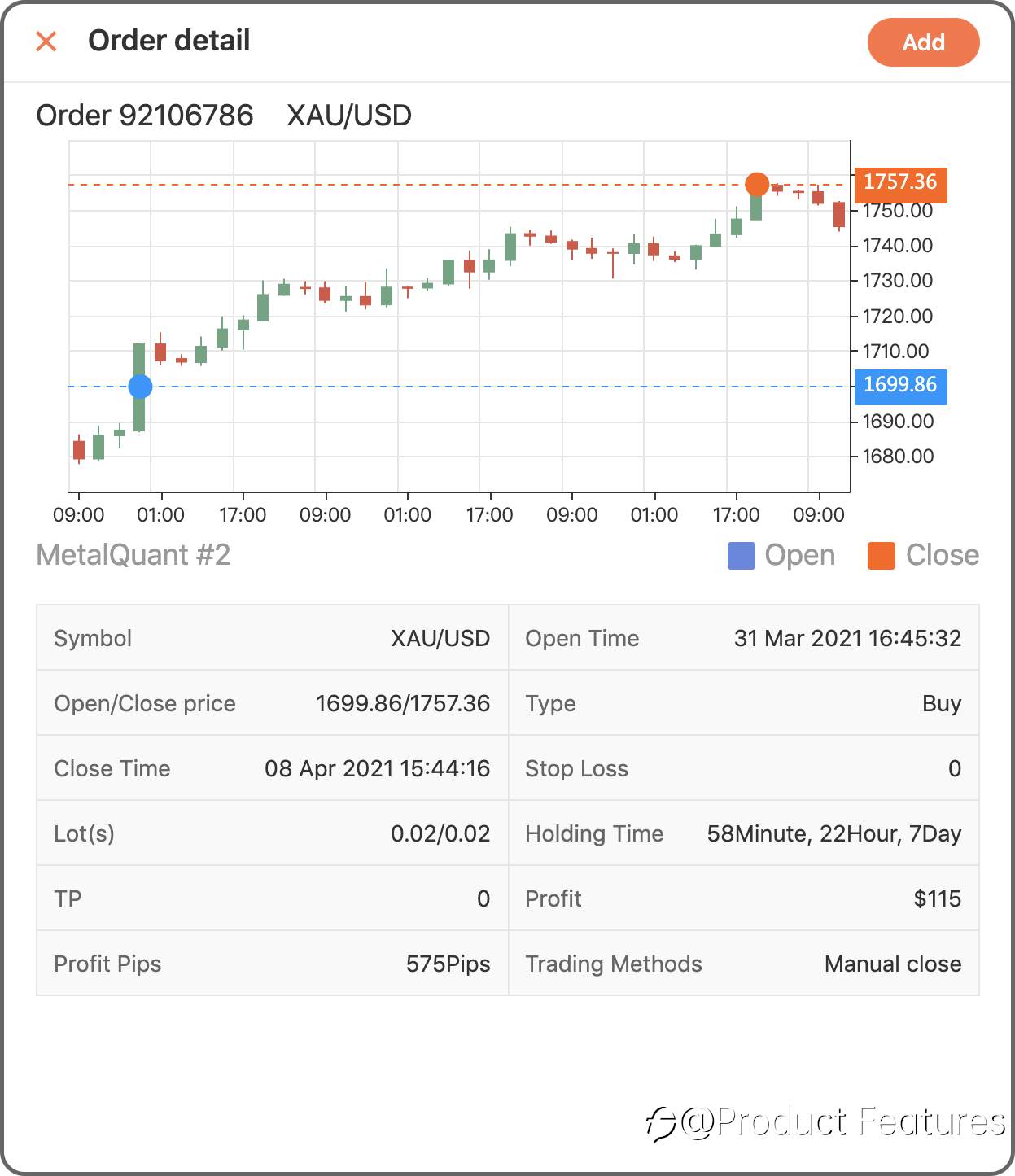
Step 2 Chose “Record” to add a trading history in a period of time; if you only want to add a single order, click “Order” then.
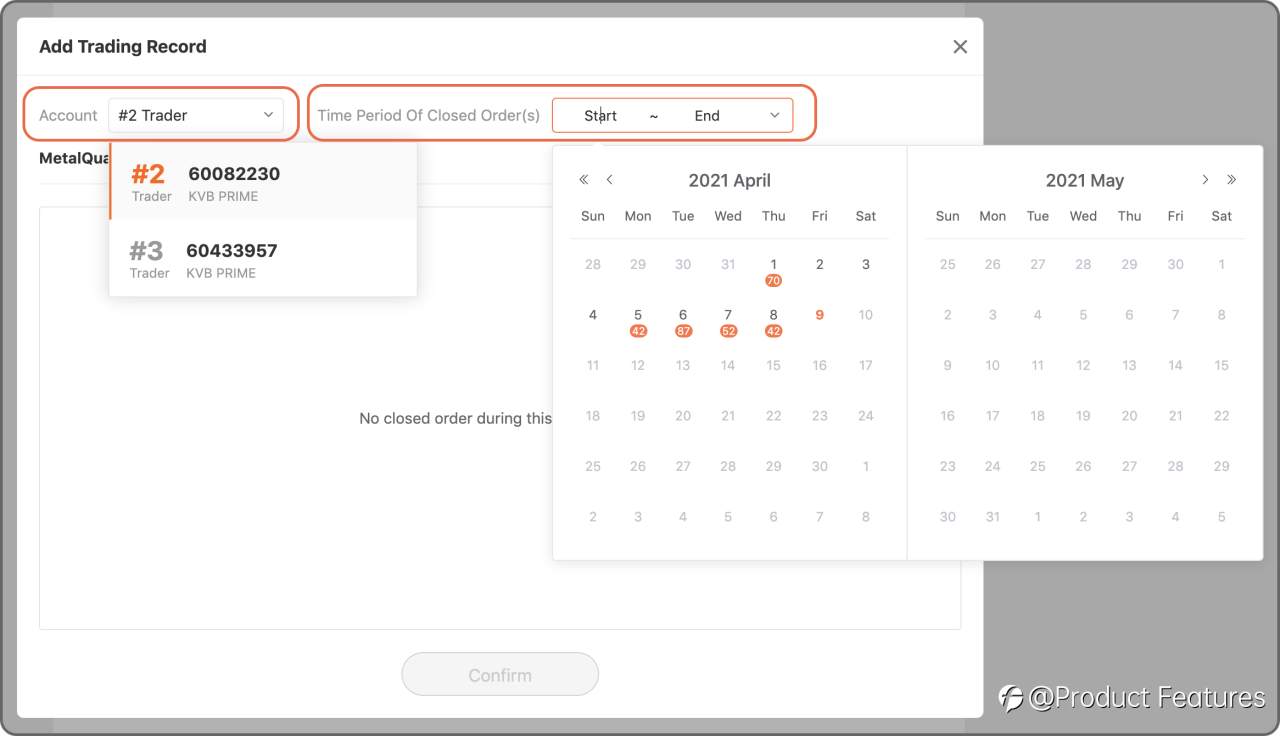
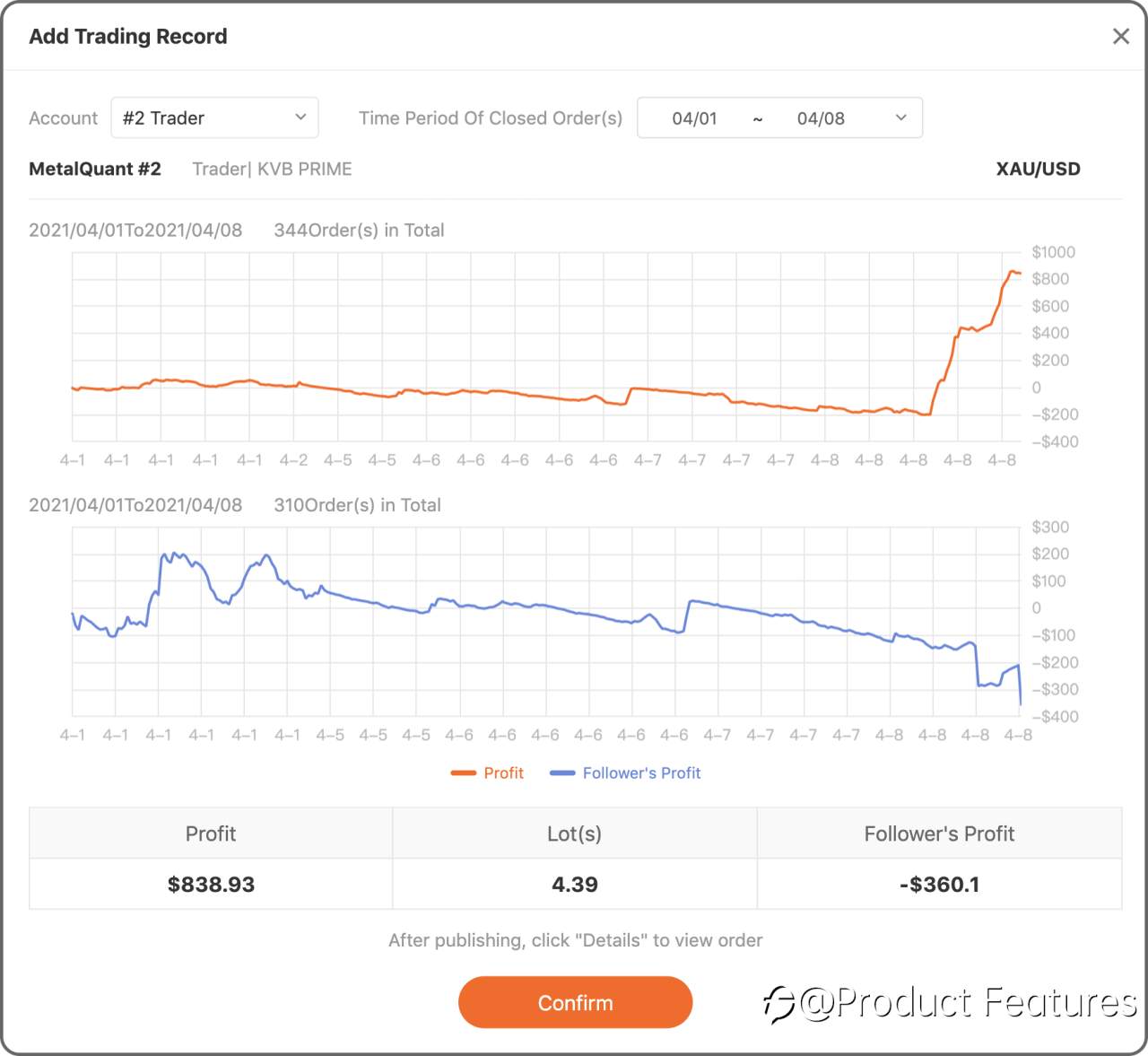
Trading Record: Select a trading account,and choose the date.Minumun 2 orders; Closing period less than 31 days.
Trading Order: Choose a live account and select orders.
Web
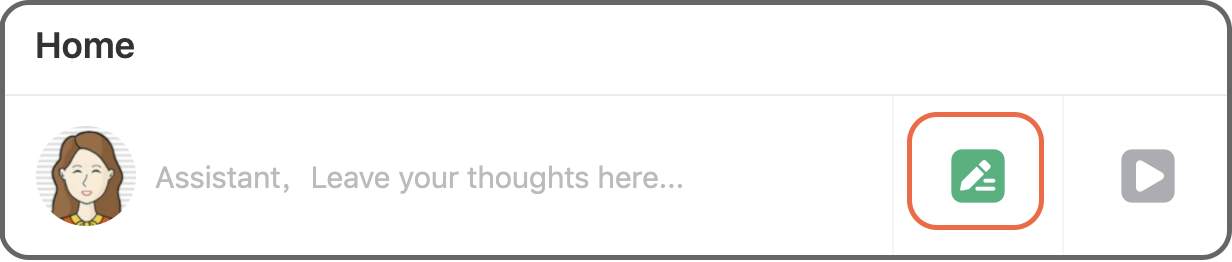
Step 1 Click the green“pencil” button.
Step 2 Click “Record” to insert a trading history in a certain period of time, if you only want to add a single order, click “Order” then.
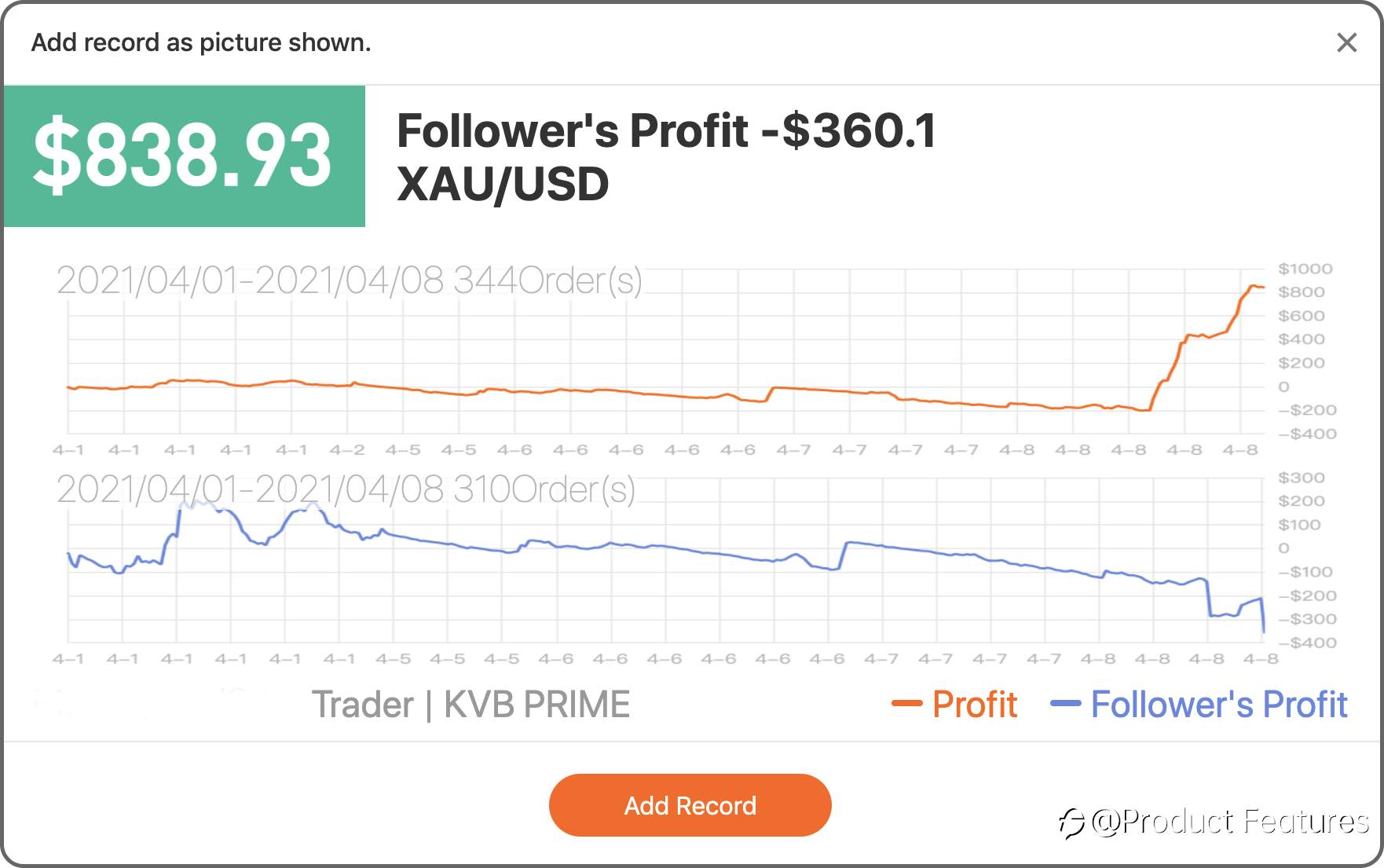
Trading Record: Select a trading account, and choose the date.Minimum 2 orders; Closing period less than 31 days.
Trading Order: Choose a live account and select orders.
Easy?Go write your first trading notes.
12 Apr 2021, 17:43 を編集しました
免責事項:本記事で述べられている見解は著者の見解のみであり、Followmeの公式見解を反映するものではありません。Followmeは、提供された情報の正確性、完全性、信頼性について一切責任を負いません。また、書面で明示的に記載されている場合を除き、本記事の内容に基づいて行われたいかなる行動についても責任を負いません。


古いコメントはありません。ソファをつかむ最初のものになりましょう。